
300+ AI voices on your iPhone, offline: VoiceNPC 1.4
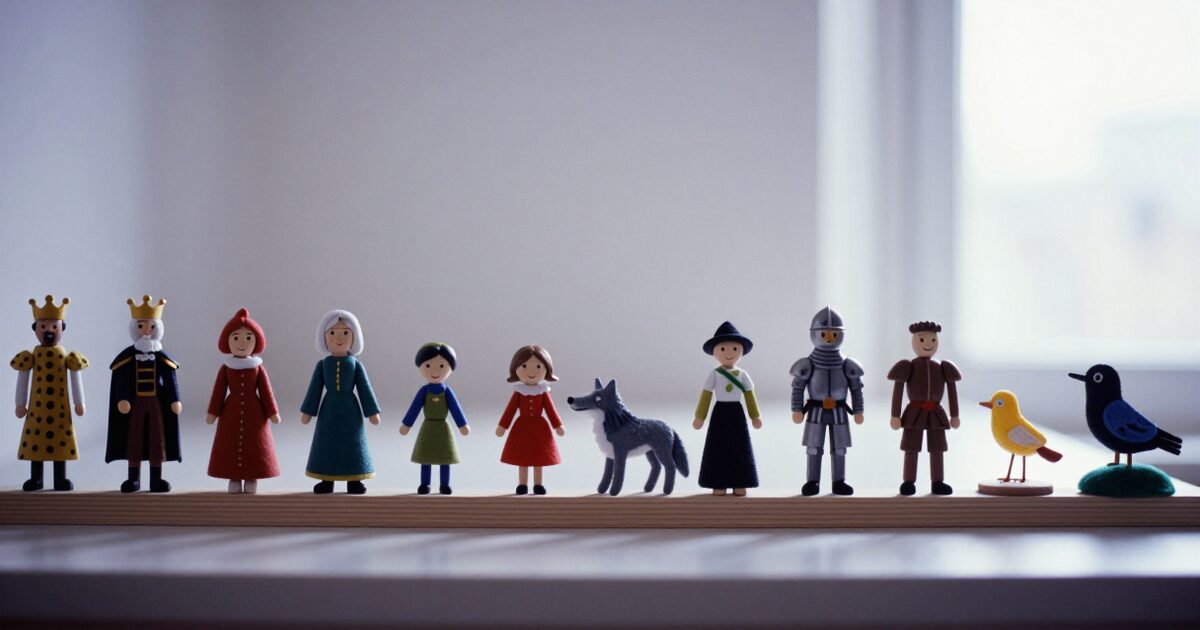
You have a script and nobody to read it. A bedtime story, a product video, a podcast intro, a game character, a lesson in a language you are still learning. Until now VoiceNPC had one answer: record a voice and clone it. That is still the best answer when you have a voice to record. Version 1.4 adds the other one. There are now more than 300 ready-made voices inside the app, and you can generate with any of them without recording a thing.

Listen first
These are the app’s own demos, the clips you hear in the picker before you choose a voice.
- Ellie
- Charlie
- Sasha
- Stanley
- Beatrice
- Albert
They are all reading the same two sentences, so you can compare them like for like. On the homepage you can hear these six and two more in all ten languages.
Kids, teenagers, grown-ups, grandparents
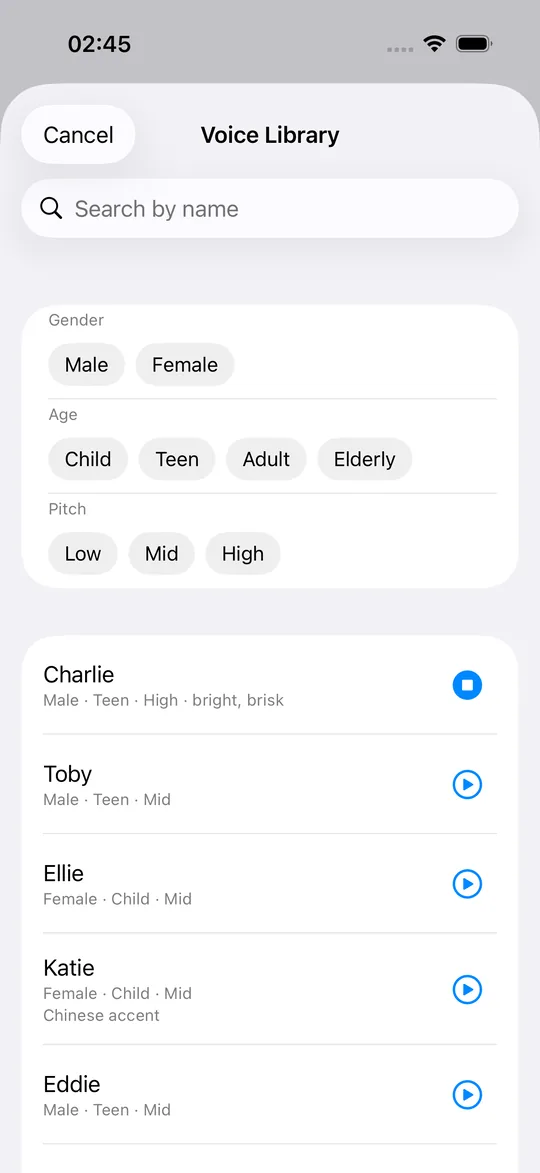
Whoever your script calls for, somebody in the library sounds like them. There are about thirty children and nearly sixty teenagers, for the bedtime story and the game character. There are some 250 adults, from bass to soprano, and three dozen elderly voices for the grandparent or the retired detective. Male and female are close to even.
You do not have to scroll through them. Tap Gender, Age and Pitch, and the whole library becomes a handful: female, elderly, low is three taps. Type a name if you remember one. Every voice has a given name in each of the app’s ten languages: the girl called Ellie in English is いちか in Japanese and Wilma in German.
Every one of them speaks ten languages
Pick a voice, write your script in English, Japanese, Spanish, Korean, German, French, Italian, Portuguese, Russian or Chinese, and generate. Here is Sasha reading the same line in four of them.
- Sasha
- Sasha
- Sasha
- Sasha
Write in one language and let the app translate before it speaks, with the same on-device translation VoiceNPC has had since 1.3. Pro users pick several target languages at once and get every version from one script. Sixteen of the voices were built from non-English speech and keep that accent in every language; the picker says so on the row (“Chinese accent”, for instance).
Nothing leaves your phone
Every one of these voices ships inside the app, ready to use, along with its demo. Choosing one and generating with it makes no network request. Put the phone in airplane mode and the library works exactly the same.
Your script never goes anywhere either. The words you type and the audio they become stay on the device, and there is no account to attach them to.
What the cloud services charge for this
The well-known voice platforms charge from US$22 to US$99 a month, bill by the character or the minute, and run your script through their servers.
VoiceNPC Pro is US$4.99 a month, US$49.99 a year, or US$99.99 once, for life, and it is unlimited: no character or minute quota. It covers the library, multi-language output, multi-voice projects and no ads. Without Pro, browsing and listening to every voice in the library is free, and so is generating with the eight starter voices and any voice you clone yourself, within the free tier’s daily energy allowance.
Where the voices come from
None of these voices belongs to a person, and none imitates one. Each was designed by a text to speech model from a written description, then cloned by the same on-device model that clones your own recordings. What you hear in the demo is the model’s own output, so it is what you get when you generate.
Get it
VoiceNPC is a free download on iPhone, iPad and Apple Silicon Macs. Open the Generate screen, tap the voice control, tap Voice Library, and start listening.
Questions
Is the Voice Library free?
Browsing and listening to every voice is free. Generating speech with a library voice is part of Pro, which is US$4.99 a month, US$49.99 a year, or US$99.99 once, for life. Generating with the eight starter voices and with your own clones stays free, within the daily energy allowance.
Can a library voice speak every language?
Yes. Pick any library voice and generate in any of the ten languages, the same way you would with a cloned voice. Sixteen voices were built from non-English speech and keep that accent; the picker says so on the row.
Does it need an internet connection?
No. The voices and their demos ship inside the app, so browsing, listening and generating make no network request. A freshly installed app does all three in airplane mode.
Are these real people?
No. Every voice was generated by a text to speech model from a written description, then cloned by the same on-device model that clones your own recordings.
Will library voices mix with my own voices?
No. The library is its own picker, opened from the voice control on the Generate screen. Nothing is added to your Voices list.